
"Site Unreachable" While the Server Runs: When DNS Is the Problem


The call almost always starts the same way: "Our site is down!" You check the server, and it's running. CPU normal, services up, the site responds when you hit it directly by IP. Yet your visitors see nothing but an error. When the server and site are healthy but no one can reach them, the cause often sits in a place almost no one monitors: DNS: the internet's address book that translates the domain name into a reachable address. This article explains why a site can be "unreachable" while the server runs perfectly, and how to spot such problems before your clients do.
Why "server running" doesn't mean "site reachable"
The intuitive short-circuit is: if the server runs, the site is reachable. That only holds when an invisible chain in between is intact. Before a visitor even arrives at your server, their device has to translate the domain name, say yourclient.com, into an IP address. That translation is handled by DNS, the Domain Name System, a kind of global address book. Only with the resolved IP can the browser open a connection to the server.
If that translation fails or returns the wrong address, the chain breaks, before the server. The server itself notices none of it: it runs, waits for requests, is perfectly healthy. But no requests arrive anymore, because visitors can no longer find the way to it. To the user, the site is "down"; to you, reaching the server directly by IP, everything works. Both are right, and that very discrepancy is the telltale sign of a DNS problem.
That's what makes DNS failures so treacherous: they produce an outage experience without an outaged server. Everything a classic server monitor watches, IP reachability, response time, service status, is green. The fault sits in the layer before it, the one most people don't have in view at all.
The most common DNS causes of a "dead" site
DNS problems have a few recurring patterns. Knowing them helps you investigate the right place instead of despairing at a healthy server.
Expired or wrong delegation (NXDOMAIN). Every domain is delegated via nameservers responsible for its records. If that delegation is no longer correct, because it was set wrong, a nameserver change went sideways, or the responsible zone was deleted, DNS can't find a valid record. The browser then typically shows DNS_PROBE_FINISHED_NXDOMAIN, meaning "this name doesn't exist." The server lives on, but its name leads nowhere.
The expired domain registration. If a domain isn't renewed in time, the registry deactivates its DNS resolution, often abruptly. From one second to the next the site is unreachable for everyone, even though nothing changed on the server. This case is especially galling because it's 100% avoidable and yet common.
The accidentally changed record. A slip in the DNS panel, a wrong IP in the A record, a deleted entry, a mistyped value, sends visitors to the wrong address or into nothing. Such changes often happen in the course of other work (a migration, a new service) and go unnoticed until someone complains.
DNS hijacking. In the malicious case, an attacker changes the DNS records without authorization and redirects the domain to a foreign, often harmful server. The original server keeps running unchanged, but visitors end up elsewhere. Because your own server is healthy, classic monitoring stays quiet, while foreign content may be served in your client's name. This is the most dangerous variant, because it affects not just reachability but security.
All cases share one thing: the server is innocent. The problem sits in DNS, and it's invisible as long as you only watch the server.
Why classic monitoring is blind here
The reason DNS problems so often surface only through a client call lies in how ordinary monitoring works. A typical uptime check asks: "Does the server respond at this address?" It opens a connection itself and evaluates the answer. That's strong for server outages, but it assumes the address being checked is still the right one.
And that's exactly the blind spot. In a DNS hijacking the record points to a new IP, a check that follows resolution would test the foreign server and might consider it "online." With an accidentally wrong A record, the monitoring might still check the old, stored IP and report "all fine," while real visitors follow the new, wrong resolution. And in an NXDOMAIN situation, a check aimed directly at the known IP can stay green even though no visitor can resolve the name anymore. The server responds, but that doesn't answer whether your clients can reach it.
Classic monitoring answers "is the server up?". The real question with DNS problems, though, is "does the path to the server still hold?". Those are two different questions, and the second needs a different kind of monitoring.
How to monitor DNS actively
The fix is to stop taking DNS for granted and make it the object of the check itself. Instead of only asking whether the server responds, you additionally check two things: whether DNS resolution works at all, and whether it returns the right value. That's exactly what DNS monitoring targets.
The principle has two triggers that together cover the cases described above. The first is the resolution failure (resolveError): the monitoring tries to resolve the domain and raises the alarm if no valid answer comes back: the NXDOMAIN case, expired domain, broken delegation. The second is the deviation (mismatch): you set what value a record should hold, say the correct IP in the A record, and the monitoring compares the real resolution against that target. If the actual record deviates, an alert fires. That catches the accidentally changed record as well as hijacking, because both produce a deviation from the expected value.
In practice you set an expected value for the critical record types. The A and AAAA record determine which IP the domain points to, the core of reachability. The MX record governs mail delivery; an unnoticed change here cripples email reception. TXT records like SPF and DKIM secure email authentication; if they're manipulated or deleted, deliverability suffers or a door opens for spoofing. For each of these records the target value can be defined exactly or as "must contain," so the monitoring knows precisely what's correct.
At Uptimeify every detected deviation, as with all checks, is confirmed from multiple EU locations before an alert fires. That matters especially with DNS, because individual resolvers can briefly return stale answers; only confirmation across multiple locations turns a possible cache effect into a dependable alert.
Why this matters especially for agencies
For an agency, a DNS failure is a particularly unpleasant kind of outage, for three reasons. First, it's rare enough to catch you off guard: server outages are on your radar, but DNS problems stay away for months without warning and then strike suddenly. Second, it's hard to diagnose if you don't think of it: you lose valuable time on the healthy server while the real cause sits a layer higher. And third, it's embarrassing, because it was often avoidable, an expired domain or a forgotten record reflects poorly on whoever's in charge.
This is exactly where active DNS monitoring's value reaches beyond the purely technical. It shifts the agency's position from "we learn of the DNS problem from the angry client" to "we see the deviation immediately and fix it, often before the client notices." A manipulated or wrong record caught within minutes is a manageable incident; the same record left unnoticed for days is reputational damage, to your client and to you.
For agencies responsible for their clients' reachability, the DNS layer therefore belongs in monitoring just as much as the server itself. It's the part of the path no one sees, until it breaks.
Making the invisible part of the path visible
The heart of this topic is a widening of view. Most monitoring strategies end at the server, they make sure the machine runs and responds. But a site's reachability hangs on a chain that begins much earlier: at the domain, at the delegation, at the records that translate the name into an address. As long as this part works, it's invisible. The moment it breaks, it's the sole cause, and the healthiest server in the world helps nothing then.
Active DNS monitoring makes this invisible part visible. It answers the question a server check can't: does the path to the server still lead where it should? By checking resolution and comparing the records against a target value, it catches exactly the failures that otherwise fall through every net: the silent, the expensive, the embarrassing.
In the end it's about the same stance as all of monitoring: knowing the outage before the client does. The only difference is that the DNS layer is the one place where a "running server" deceives. Monitor it too, and you close the last big gap between "technically everything runs" and "my visitors actually arrive."
Frequently asked questions
In many cases it's DNS, not the server. The server can run flawlessly, but if DNS resolution fails or points to the wrong address, no visitor finds their way to it. Typical causes: an expired or misconfigured delegation (the browser then often shows "DNS_PROBE_FINISHED_NXDOMAIN"), an accidentally changed A record, an expired domain registration, or a manipulation of the DNS records. The server is online, but no one is sent to it anymore.
NXDOMAIN means "non-existent domain", the DNS system couldn't find a valid record for the requested name. To the user this looks like a total outage, even though the server behind it may be running. Common reasons are a typo, an expired domain, a deleted or misdelegated DNS zone, or nameservers that no longer answer correctly. It's a DNS problem, not a server problem.
By checking not only whether the server responds, but also whether DNS resolution works and the records hold their expected value. Monitoring that regularly compares the DNS records against a target value fires as soon as resolution fails (resolveError) or a record deviates from the expected value (mismatch), so even when the server itself is perfectly healthy. That way you learn of the manipulation or misconfiguration before your visitors do.
Yes. In DNS hijacking, a domain's DNS records are changed without authorization so the name points to a different, often malicious, address. The original server keeps running unchanged, but visitors end up elsewhere or nowhere. Because the server itself is healthy, classic server monitoring doesn't fire. Only monitoring that compares the actual DNS records against the target value notices that the record no longer matches.
At least the ones whose change directly affects reachability or security: the A and AAAA record (which IP the domain points to), the MX record (mail delivery), and TXT records like SPF and DKIM (email authentication). For each of these record types you can set an expected value that's checked regularly, if the real value deviates, an alert fires.

Co-Founder of Uptimeify, responsible for all of marketing. He bridges technical development and marketing strategy: from Java, PHP and Shopware plugins to steering digital growth strategies. A certified UX Manager (IHK) and digital-marketing advisor to three non-profit organizations.


Google shows sources you mark as preferred more often in its answers.
More from the blog
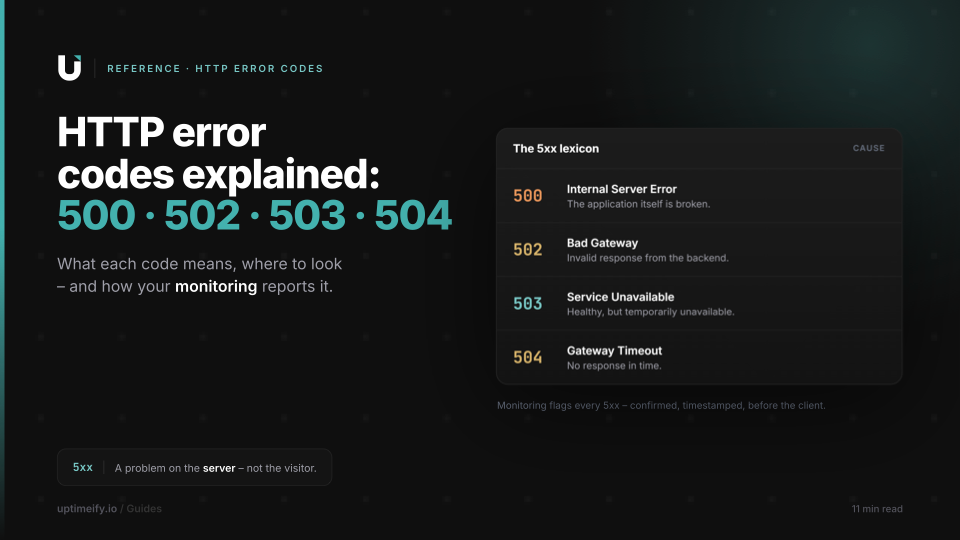
HTTP Error Codes Explained: 500, 502, 503, 504 and What They Mean for Your Clients
An error reference for the key HTTP 5xx codes: cause, fix, and how monitoring reports the error before your client calls.

When Big Services Go Down (YouTube, WhatsApp & Co.), and What They Teach About Status Communication
Why millions check the server status during an outage, and what the giants' professional status communication gets right that any agency can adapt at small scale.

Uptime, MTTR, MTBF and the Nines: Monitoring Terms in Plain English
The monitoring terms that matter, each explained with what it means for your client contract.