
IoT & Device Monitoring: Watching Reachability Beyond the Website


For many MSPs, monitoring ends where the website ends, yet they've long looked after more than just web presences. In the client network sit routers, gateways, switches, IP cameras, sensors, and other endpoints whose reachability is just as business-critical as a website's, and that ordinary website monitoring simply doesn't see. Reachability beyond the website is a distinct, growing use case, covered with ping and port checks rather than HTTP requests. This article explains why hardware in the client network needs its own view and how to monitor devices via ping and port check.
Why the website is only part of the infrastructure
The blind spot starts with a habit: monitoring is often equated with website monitoring. That's understandable, because the website is the most visible part of a client's digital presence, but it's only a part. Behind and alongside the website sits a whole landscape of devices that together make up the infrastructure the client's business relies on.
A router connecting the office to the internet. A gateway linking one site to another. A NAS holding the company's data. IP cameras securing a premises. Sensors and controllers in a production line. A printer, a switch, an access point. None of these is a website, and yet the reachability of each is often just as important as the web presence's, sometimes more so. If the router fails, the whole office is down; if the gateway fails, a site is cut off.
The decisive point is that these devices are reached by a different route than a website. A website is addressed via a URL and the HTTP protocol. A device is addressed via its IP address and, depending on the service, via a specific port. Monitoring that only makes HTTP requests to URLs can't technically reach these devices. It's literally looking in the wrong direction.
The ping check: verifying basic reachability
The simplest and most universal tool for monitoring a device is the ping check, technically over the ICMP protocol. The principle is as old as it is obvious: you send the device a small data packet and wait to see if it responds. If a response comes, the device is reachable; if none comes, it isn't. That "I knock, do you answer?" is exactly what the ping check automates at short, regular intervals.
The charm of this approach is its universality. Almost every network-capable device, from a router to a camera to an industrial endpoint, answers a ping, without you having to know anything about which services it provides. The ping check doesn't ask "what do you do?", only "are you there?". For the most basic and important question of device monitoring, is the device on the network and reachable at all? That's exactly the right layer.
In practice you set up a ping check on each device's IP address or hostname. If the device fails, the router loses connectivity, the gateway hangs, the camera goes offline, the response is missing and the monitoring raises the alarm. At Uptimeify, here too every detected outage is confirmed from multiple EU locations before an alert fires, so a brief network hiccup on the way to the device produces no false alarm. A typical setup names the checks clearly by device, "Ping: Gateway Site A", "Ping: Camera Entrance", so that in an alert it's immediately clear which device is affected.
The port check: probing deeper than "does it respond at all"
The ping check answers whether a device is fundamentally there, but sometimes that isn't enough. A device can answer a ping while the actual service it's supposed to provide has long since hung. The router pings, but its VPN endpoint accepts no more connections. The NAS is reachable, but the file service doesn't respond. For these cases you need a deeper check: the port check.
A port check (over TCP) goes a layer beyond the ping. Instead of only asking "are you there?", it asks "is the service on this specific port reachable?". It tries to open a connection to a concrete port on the device: the port where the expected service should be listening. If the connection succeeds, the service is running; if it fails while the device still answers a ping, you know: the device is alive, but the service behind it is impaired. That distinction is valuable, because it makes visible a half-failed state that a pure ping overlooks.
In practice you combine the two checks per device. For a device where only reachability matters, the ping is enough. For a device that provides a defined service, the port check adds deeper assurance. Uptimeify covers this port layer through its protocol monitors, which specifically check the reachability of a service on its port, say for remote access, a file service, or another port-based endpoint. That produces a layered picture: the ping says "the device is alive", the port check says "and the service on it runs too".
What you can monitor: from router to sensor
The appeal of this approach lies in its breadth. Because a ping check needs only a reachable IP address and a port check only a reachable port, you can monitor practically any network-capable device in the client environment. A few typical candidates from MSP life show the range.
Network backbone: routers and gateways are the most obvious candidates, if one fails, a whole site often goes with it. Monitoring their reachability means detecting a connectivity outage before the client calls. Switches and access points belong here too, where their reachability is critical.
IoT endpoints: sensors, actuators, and controllers in building tech, production, or logistics sit on an IP and can be monitored via ping. Here especially a silent failure is expensive, because a dead sensor often surfaces only when a measurement or control is missing.
Visible hardware: IP cameras, NAS systems, and network printers are reachable devices with clear services, ideal candidates for a combination of ping (is the device alive?) and port check (is the camera stream, the file service running?).
The connecting pattern is simple: anything with an IP that matters to the client deserves a look. The addressable use case reaches far beyond websites: it covers all the reachable hardware an MSP is responsible for on behalf of its clients.
Why this is a growing use case for MSPs
For an MSP, monitoring devices beyond the website is more than a technical add-on: it follows the reality of what's looked after today. The MSP's role has long expanded beyond web presences: site interconnects, network infrastructure, IoT installations, surveillance tech. With each of these areas, the number of devices in the client network whose reachability the MSP is responsible for grows, and with it the surface on which an unnoticed outage can happen.
The problem with this growing surface is that pure website monitoring structurally leaves it open. The MSP can monitor its clients' websites ever so completely. The hardware behind them stays a blind spot as long as it isn't covered with the right checks. And that blind spot is especially unpleasant because device outages are often business-critical: a failed router paralyzes the office, a dead sensor a production line. The MSP then learns of it from the client as a complaint, not as an early warning.
Monitoring via ping and port check closes this gap with the same means the MSP already works with: the same dashboard, the same alert channels, the same confirmed detection. The gain is a more complete picture: "we monitor your websites" becomes a credible "we monitor your reachable infrastructure". For an MSP whose value hangs on the reliability of its clients' systems, that's not a sideshow but a natural extension of the core business.
A more complete picture of reachability
The heart of this topic is a widening of what "reachability" even means. The intuitive equation of monitoring with website monitoring falls short as soon as a client runs more than a web presence, and today most do. Reachability covers the whole landscape of devices that together keep the business running: the connectivity, the network, the endpoints, the hardware. Each of these can fail, and each failure deserves the same early warning as a website outage.
The tools for it are straightforward and proven. A ping check answers the basic question of whether a device is on the network. A port check adds the deeper question of whether the service on it runs too. Together they cover practically every network-capable device, and they run on the same calm logic as the rest of monitoring: confirmed from multiple EU locations, alerting over your usual channels, EU-hosted.
In the end it's about the same completeness good monitoring aims for overall: leaving no reachable, critical component unwatched just because it isn't a website. The addressable scope of monitoring reaches as far as the client's infrastructure itself, and an MSP that covers it fully monitors not just what's visible in the browser, but everything the client's business relies on.
Frequently asked questions
Through a ping check (ICMP): the monitoring sends a ping packet to the device's IP or hostname at short intervals and evaluates whether it responds. If it no longer responds, an alert fires, confirmed from multiple locations so a brief blip triggers no false alarm. For devices that provide a specific service, a port check adds depth: it checks whether the expected port is reachable, not just whether the device responds at all.
A ping check (ICMP) checks basic reachability: is the device on the network and does it respond at all? A port check (TCP) goes a layer deeper: it checks whether a specific service on a specific port is reachable, say whether a gateway serves its expected port. A device can answer a ping while the actual service behind it hangs; that's why the two checks complement each other.
Because a website check only makes an HTTP request to a web address, but routers, gateways, sensors, cameras, or industrial endpoints often provide no website at all. These devices speak other protocols and are reached via their IP and their ports, not via a URL. Pure website monitoring has a blind spot for this hardware, because it technically doesn't look there.
Basically anything with a reachable IP address: routers and gateways, network switches, IoT sensors and actuators, IP cameras, NAS systems, printers, industrial controllers, and other endpoints in the client network. For pure reachability a ping check is enough; if the device provides a specific service over a port, a port check adds the deeper check.
Only devices with a public IP or an externally exposed port are directly reachable. Devices in a purely private network aren't readily visible from outside. Here you typically monitor the publicly reachable access point (such as the gateway or router with a public IP) and, through it, the reachability of the network as a whole. Which endpoints are externally checkable depends on the client's network architecture.

Co-Founder of Uptimeify, responsible for all of marketing. He bridges technical development and marketing strategy: from Java, PHP and Shopware plugins to steering digital growth strategies. A certified UX Manager (IHK) and digital-marketing advisor to three non-profit organizations.


Google shows sources you mark as preferred more often in its answers.
More from the blog
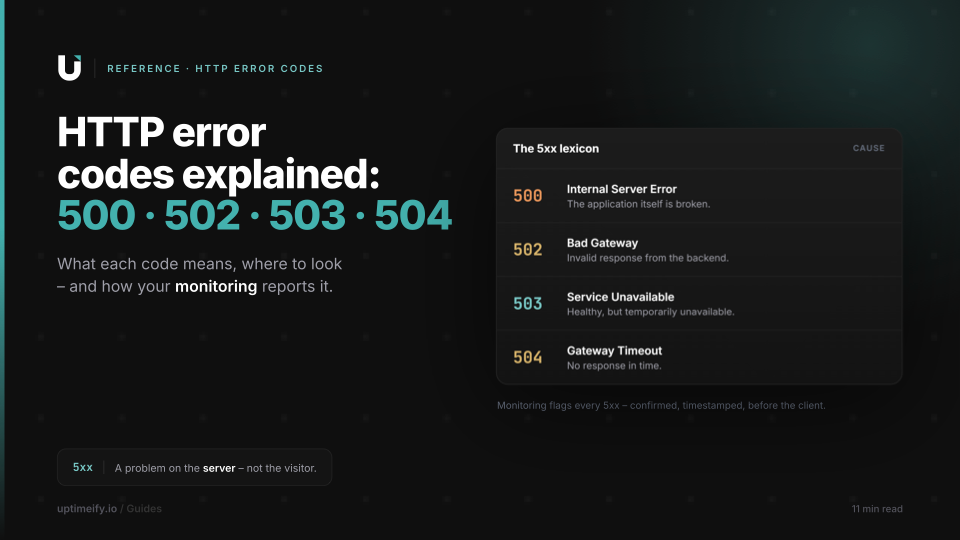
HTTP Error Codes Explained: 500, 502, 503, 504 and What They Mean for Your Clients
An error reference for the key HTTP 5xx codes: cause, fix, and how monitoring reports the error before your client calls.

When Big Services Go Down (YouTube, WhatsApp & Co.), and What They Teach About Status Communication
Why millions check the server status during an outage, and what the giants' professional status communication gets right that any agency can adapt at small scale.

Monitoring Strategy for a Client Portfolio: what, how often, and from where
The decision framework for your client portfolio: which monitor types per client, which intervals, which alert thresholds.